Open-source Integrated Astrophotography Suite

Your rig,
Any device.

Your whole night in one place: the gear, the guiding, the plate solving and the sequencer. It runs on a Raspberry Pi, an Orange Pi, a Windows mini PC or whatever else you have around, and you drive it from the browser on your phone, your laptop or the tablet in the warm room.

Polaris Astro Controller is a community fork of N.I.N.A. It is not affiliated with, or supported by, the official N.I.N.A. team, so if something here misbehaves, open an issue on this repository instead of writing to the N.I.N.A. developers.

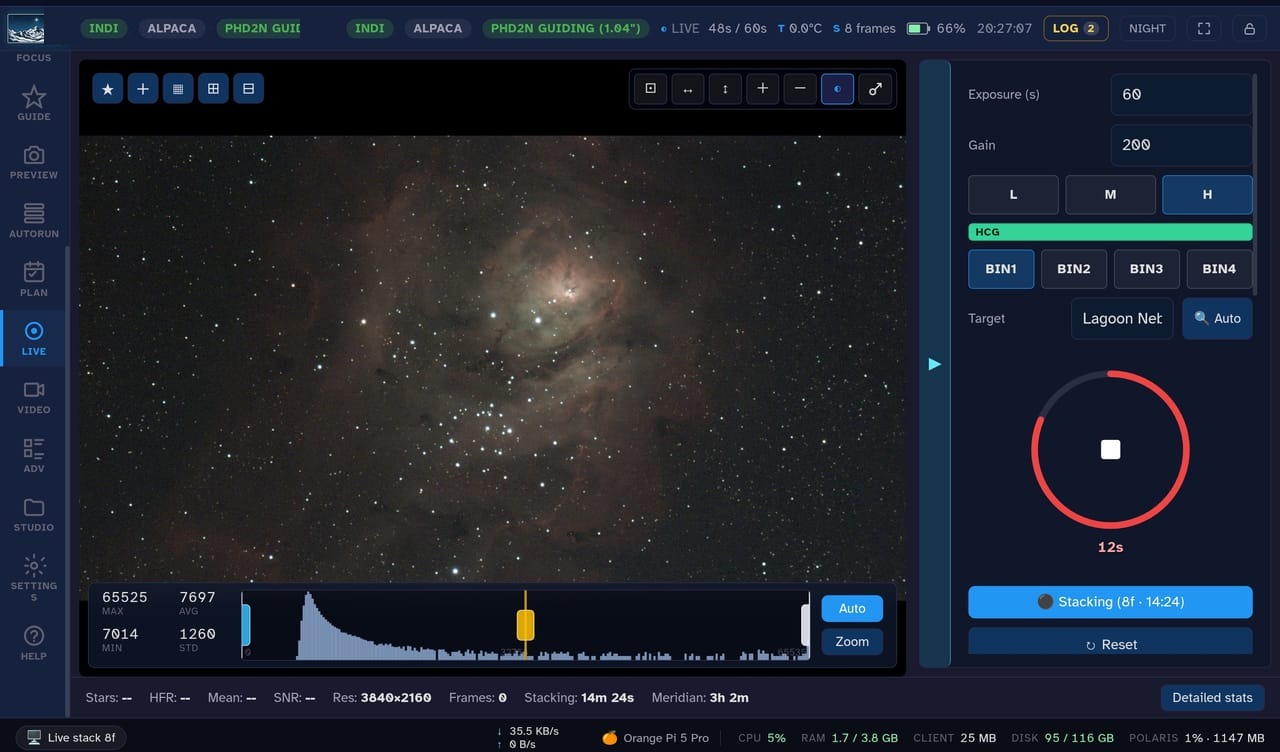
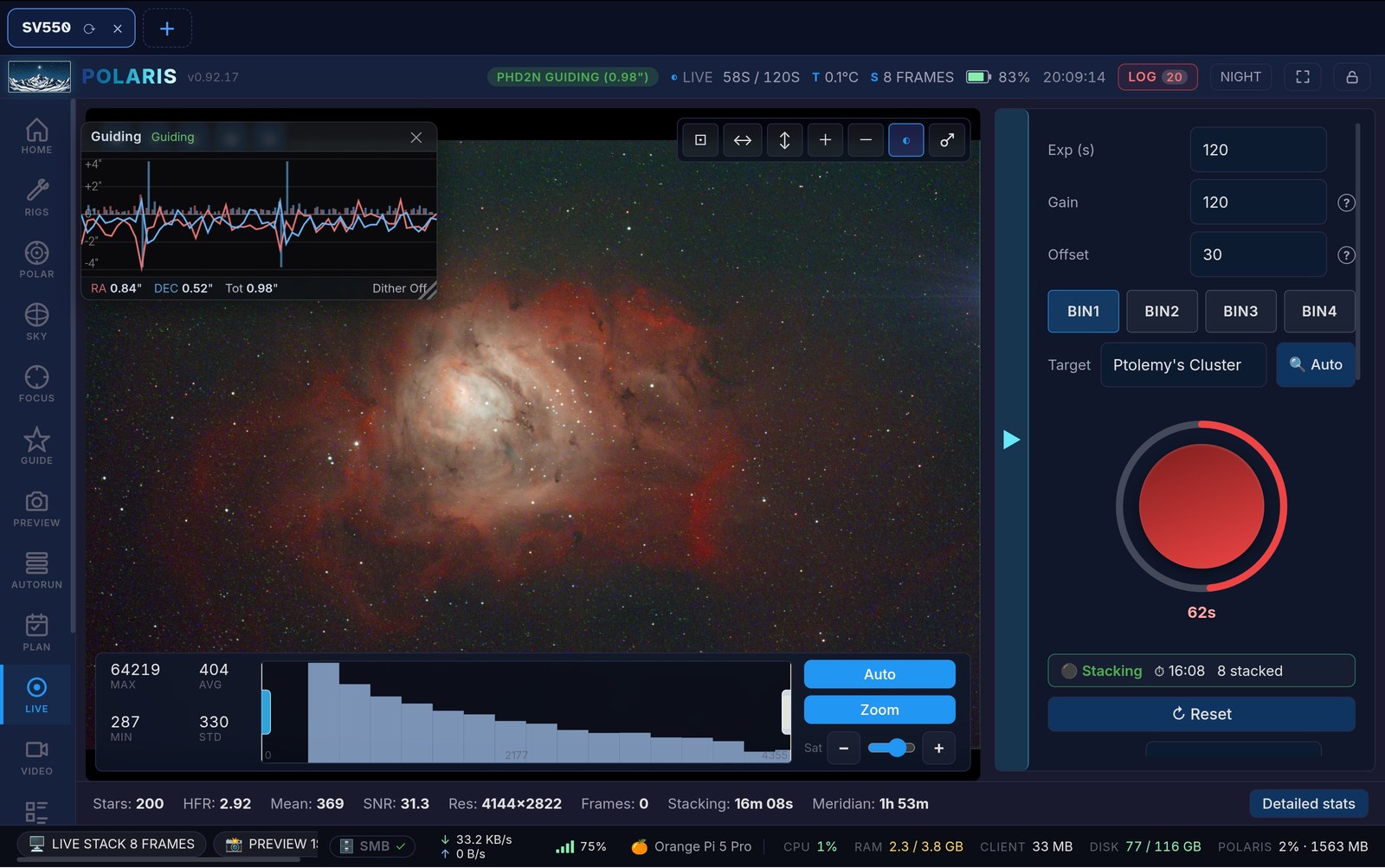
Polaris Astro Controller live stacking view
IC 434 / Horsehead & Flame · © Daniel Wagner Oliveira de Medeiros

Everything your session needs

From plugging the gear in to a finished picture: capture, guiding, framing, live stacking, sequencing and AI post-processing, all of it from the browser.

Connect any rig: INDI, ASCOM, Alpaca + native drivers
🔭

Connect any rig: INDI, ASCOM, Alpaca + native drivers

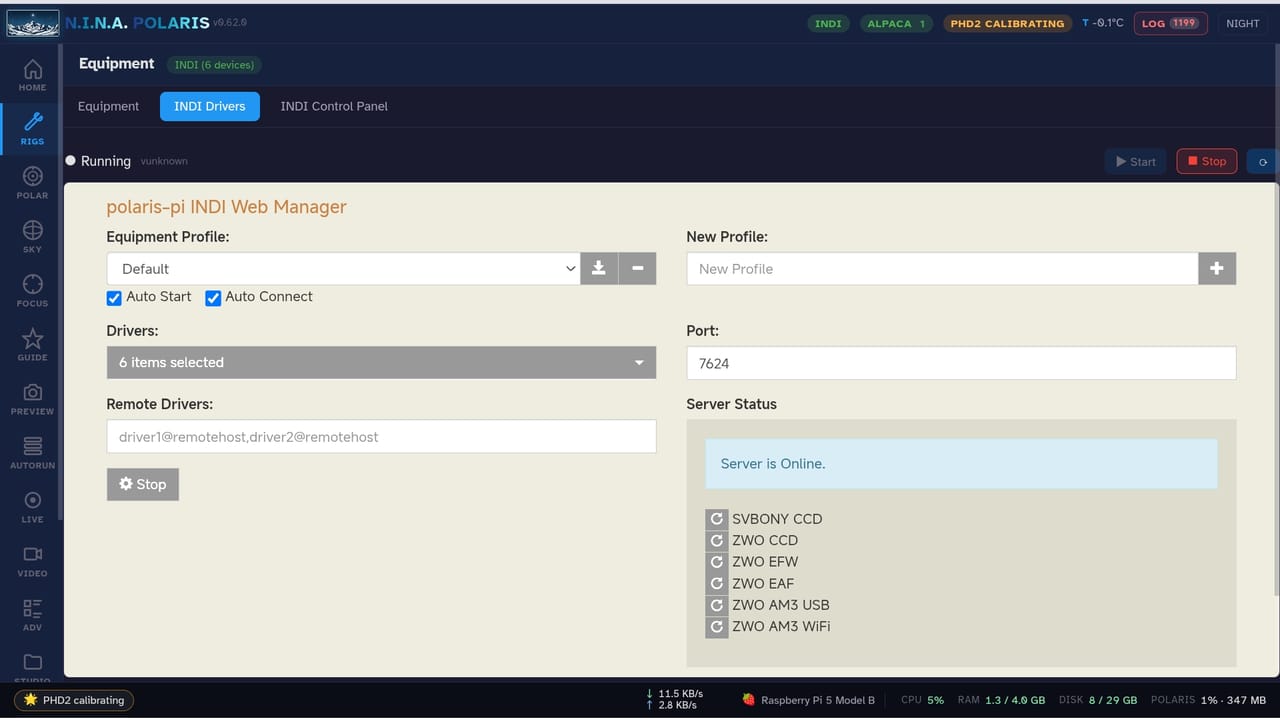
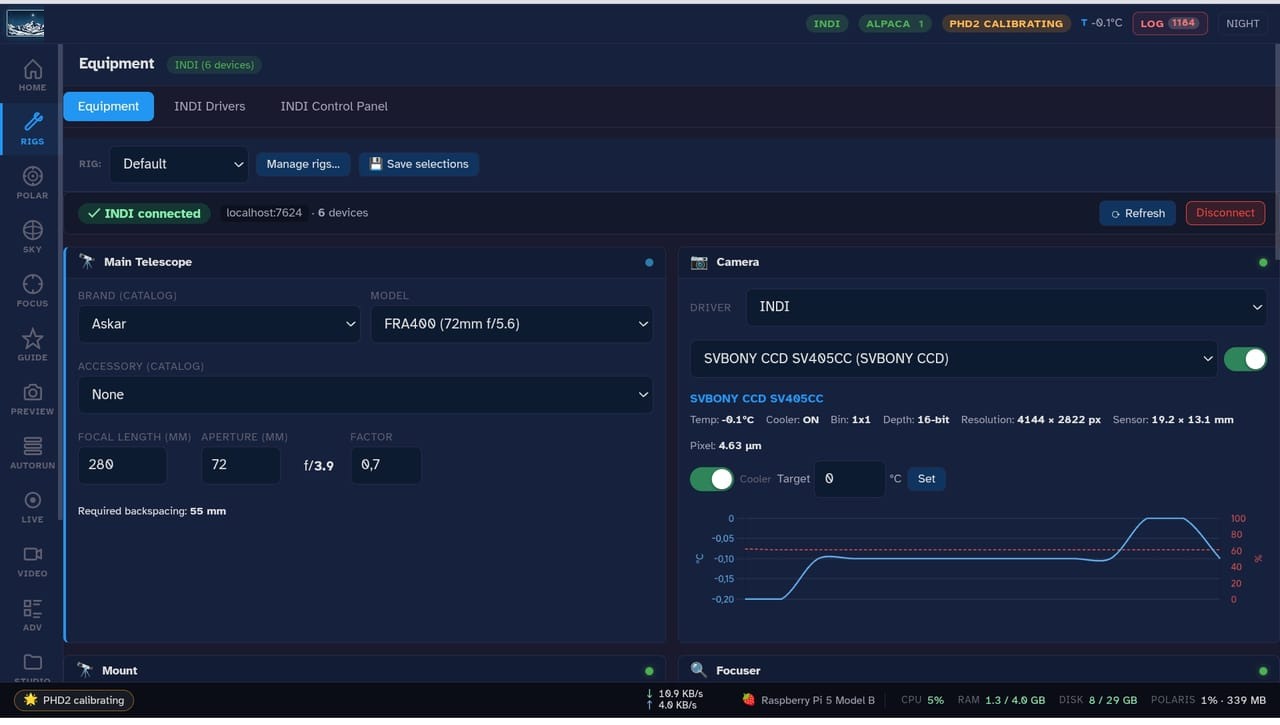
Talk to your gear over INDI (400+ Linux drivers), over ASCOM and Alpaca across the network, or straight through the native SDKs for ZWO, Player One, SVBONY and Altair, plus Canon, Nikon and Sony bodies. Auto-discovery finds what is plugged in, so you rarely go hunting for a driver.
📷

Multi-camera rigs

Run a second imaging camera on the same mount with its own optics, exposure, and gain, captured in parallel. Add a motorised guide-scope focuser and run auto-focus on any optical train: main, auxiliary, or guide. DSLR and mirrorless bodies get a real ISO dropdown.

Native PHD2 guiding, with fallback to the real app
📡

Native PHD2 guiding, with fallback to the real app

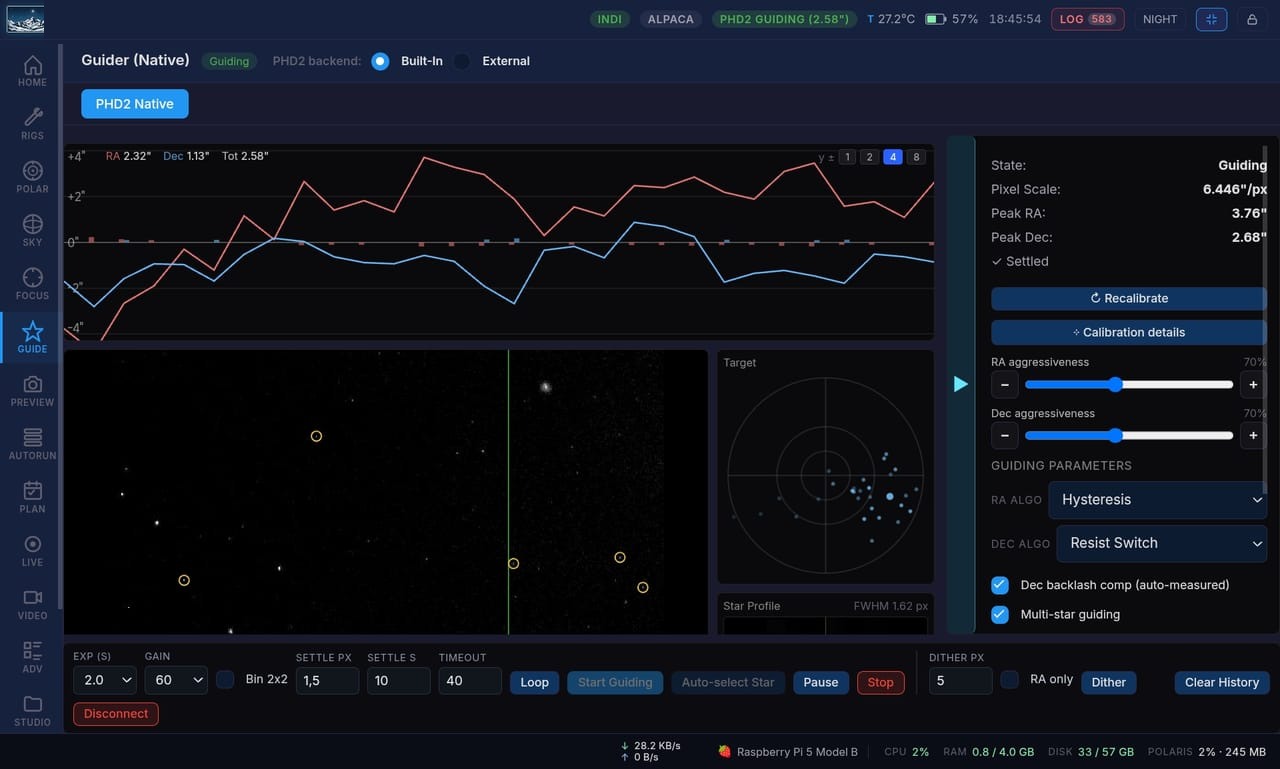
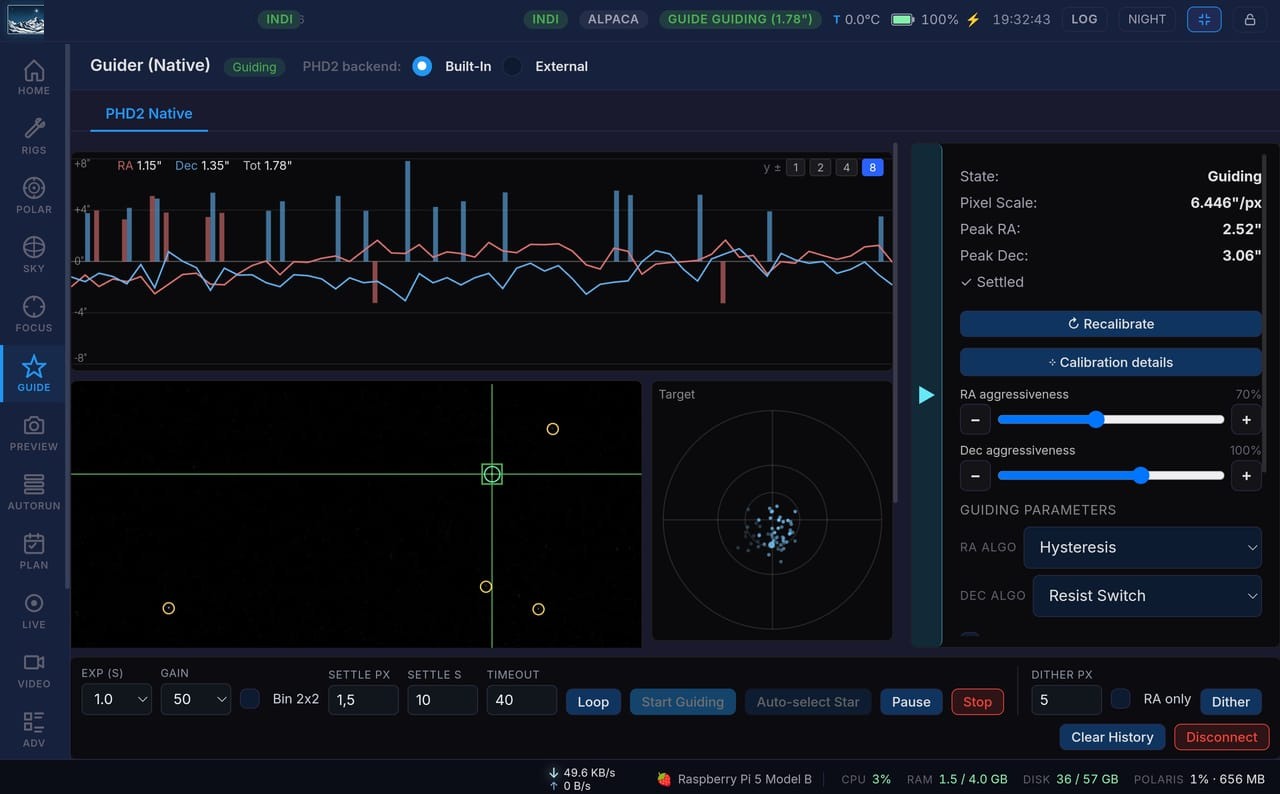
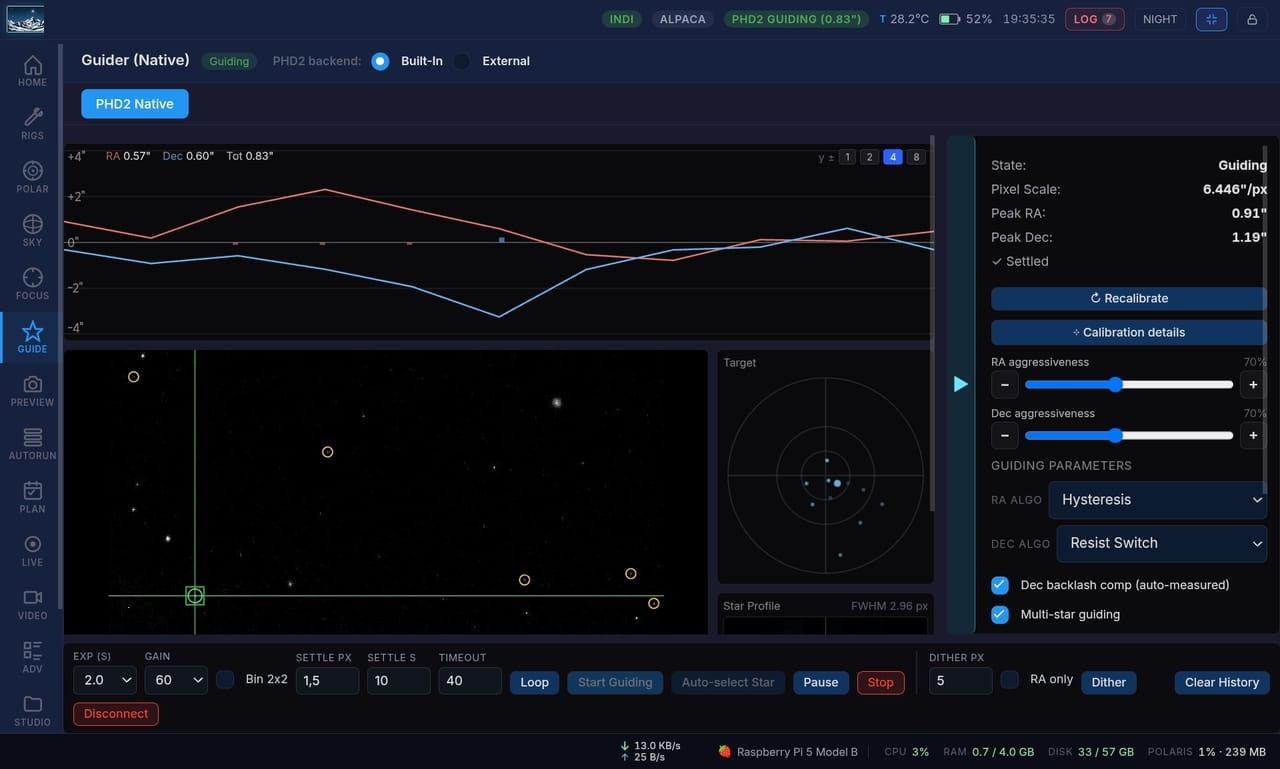
A native PHD2 implementation drives guiding directly, with a live RA/Dec chart, dither, settle, and profiles. When you want the original PHD2 interface, fall back to the real application embedded right in the browser over xpra or VNC.

Sky explorer with slew & center
🌌

Sky explorer with slew & center

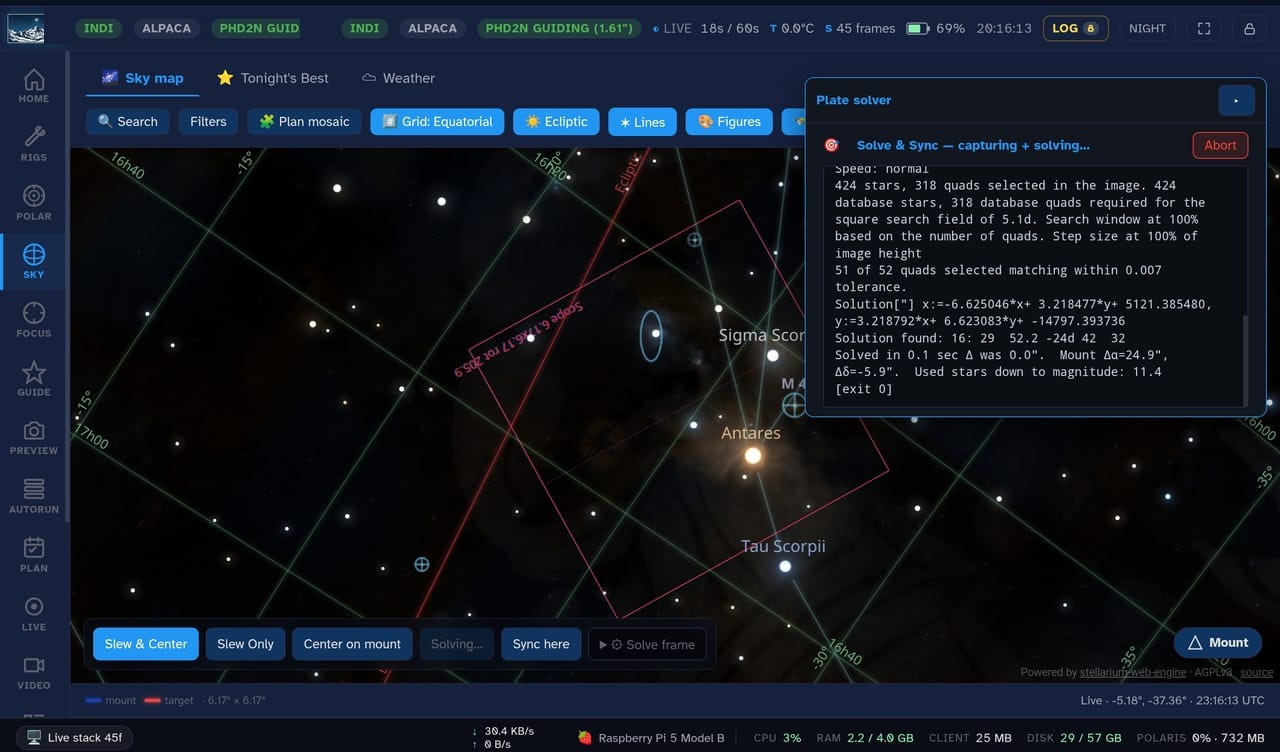
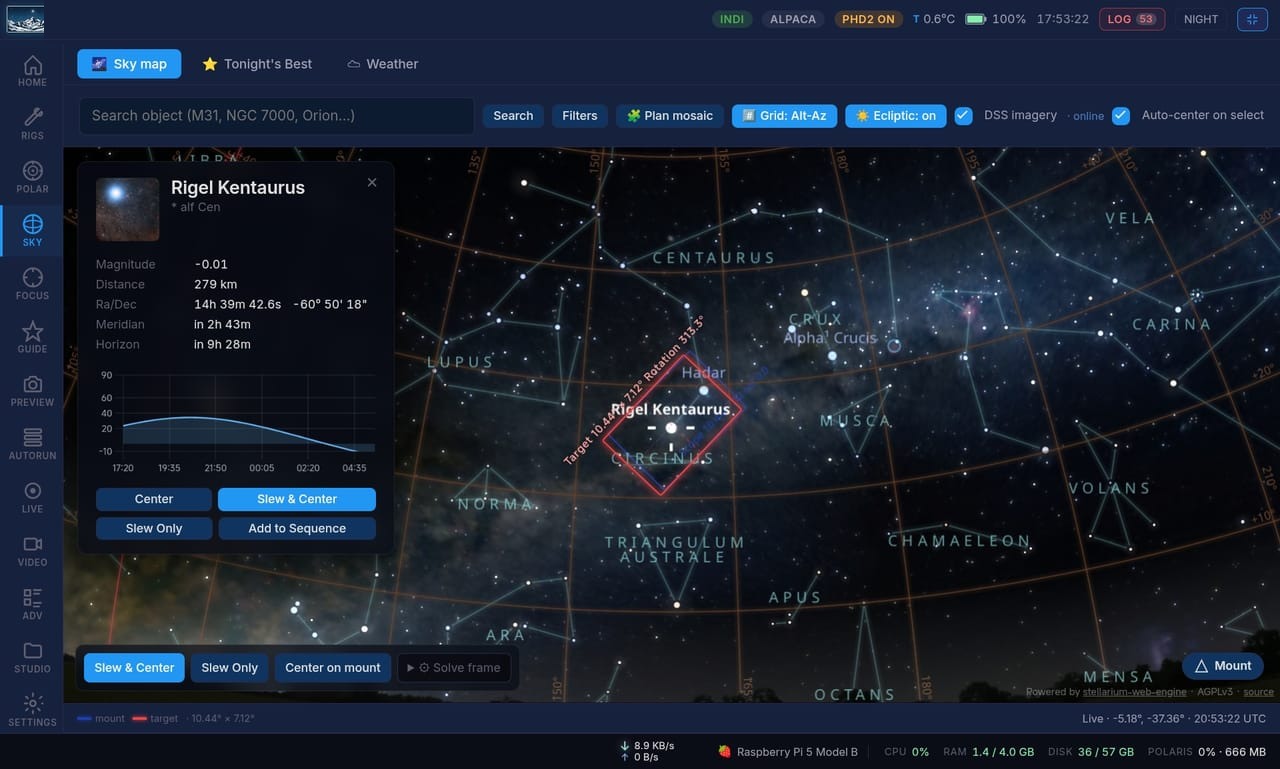
A full sky explorer powered by the Stellarium Web Engine, with total mount integration. Pick any target, slew to it, then plate-solve and center automatically, all from the browser.

Plan your whole night
📅

Plan your whole night

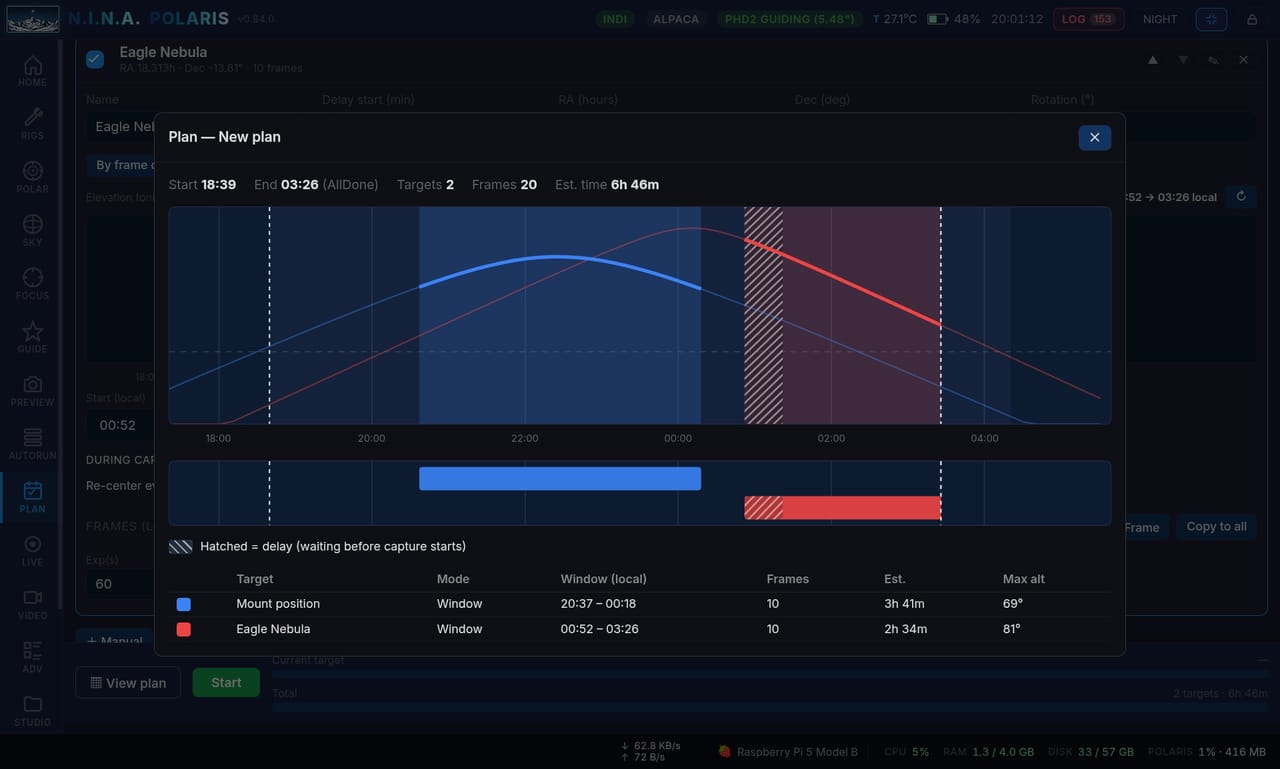
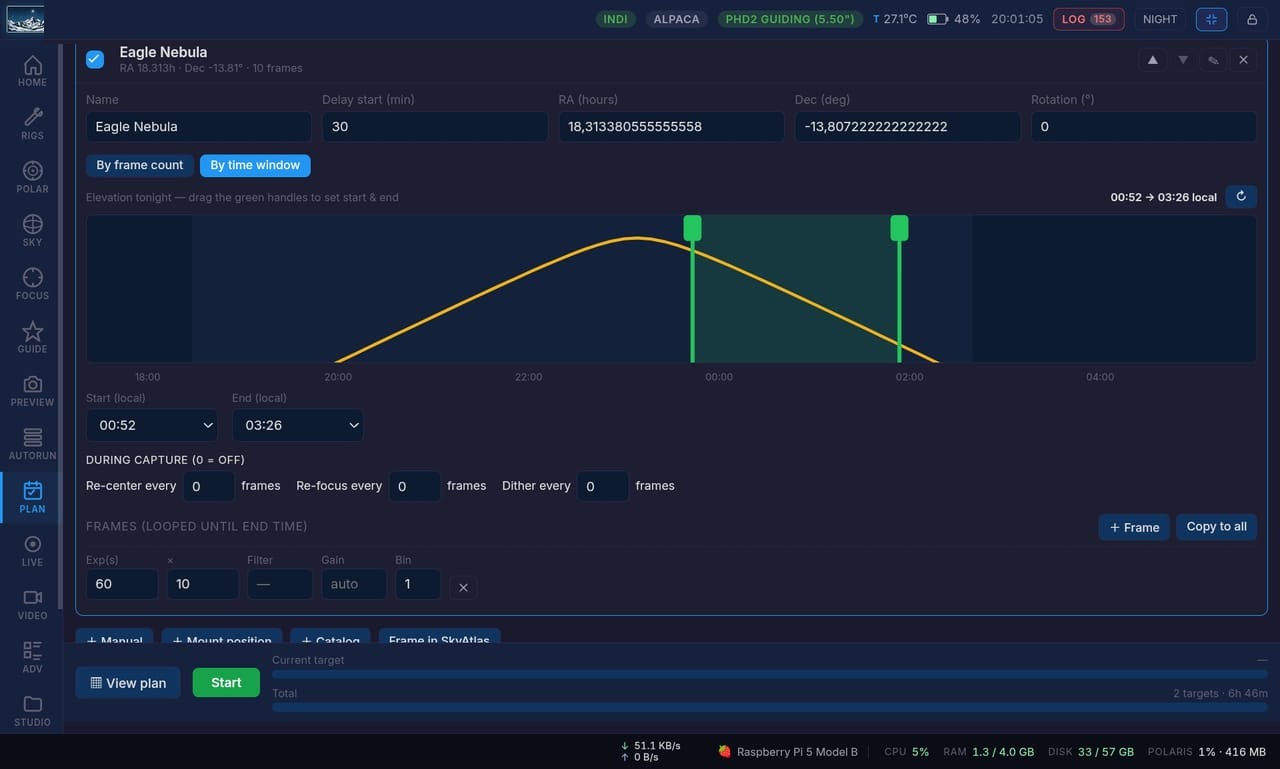
Line up several targets and let the planner sort out the order by visibility. Each one gets its elevation curve and a capture window you drag to set the start and the end, with its own re-center, re-focus and dither cadence. Polaris runs them through the night and tells you up front how long the whole thing takes.

Complete live stacking panel
📸

Complete live stacking panel

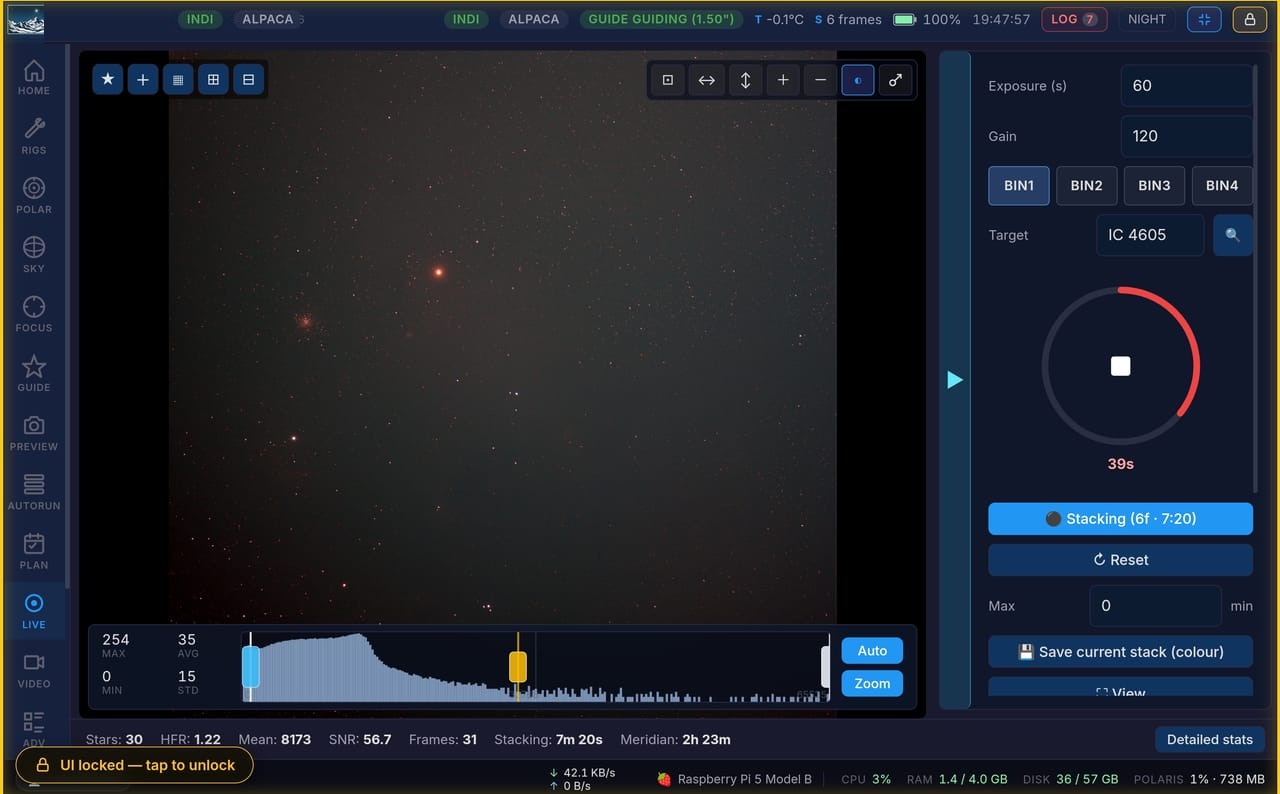
EAA-style live stacking with registration, integration, and real-time stretch over a bandwidth-adaptive WebSocket stream, so the image builds up live as each frame lands.

Video recording + processing
🎥

Video recording + processing

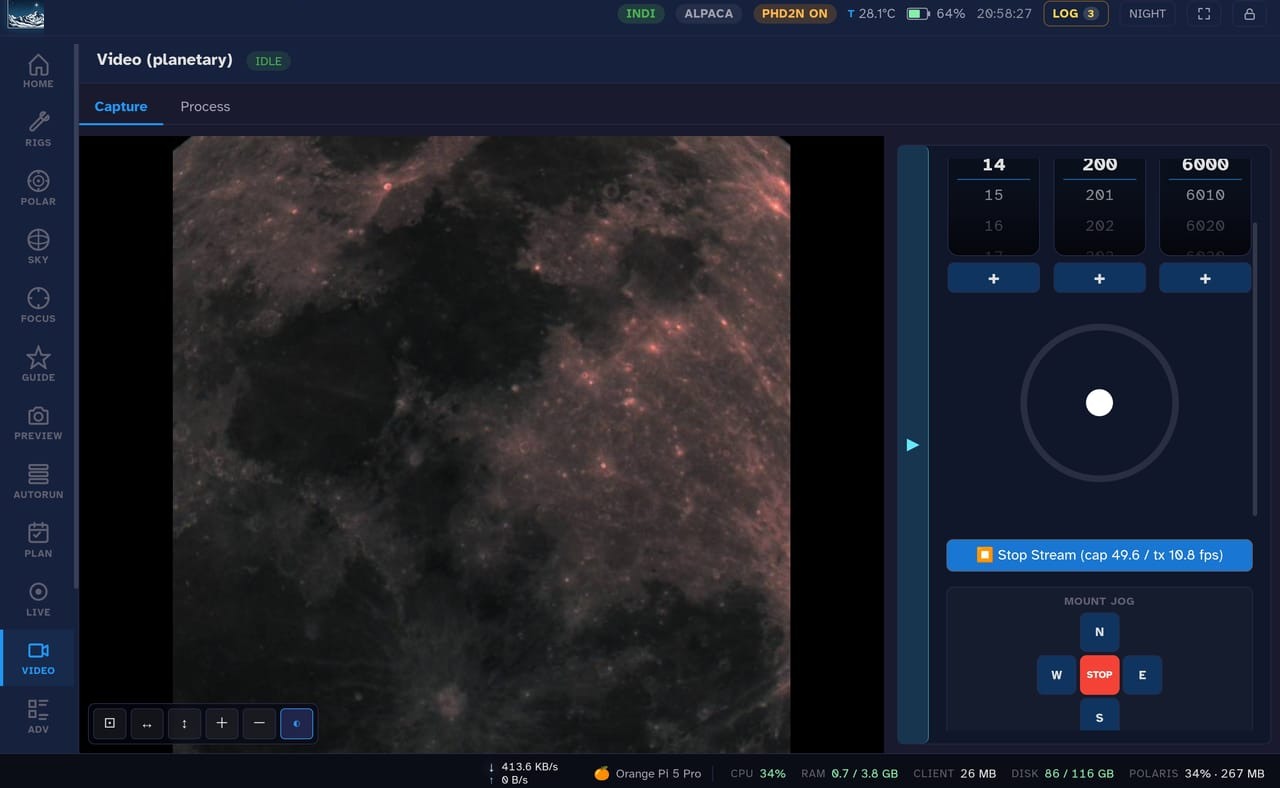
Record high-frame-rate video for planetary, lunar, and solar work, then process it on the spot for lucky-imaging results.

Advanced sequencer
🌲

Advanced sequencer

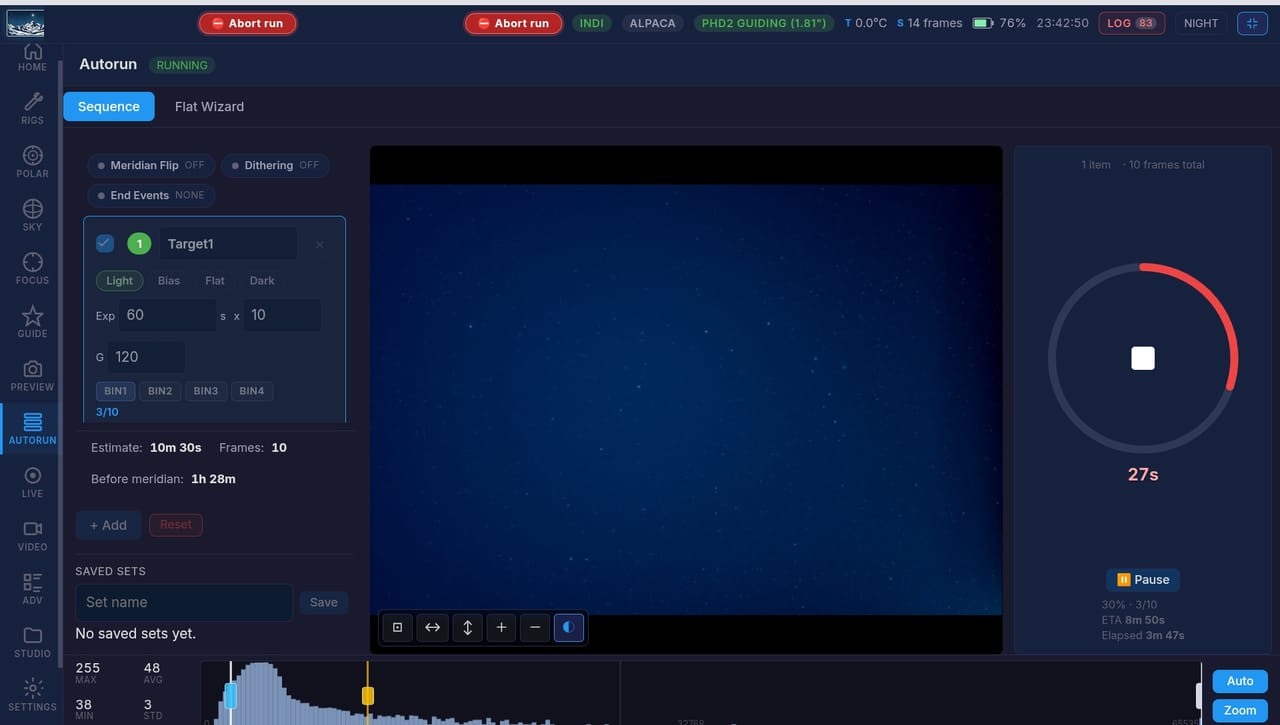
A tree-based sequencer with containers, loop conditions, and event triggers: auto-focus on temperature or HFR drift, meridian flip, dither, safety abort. Drag and drop the whole plan in the browser.

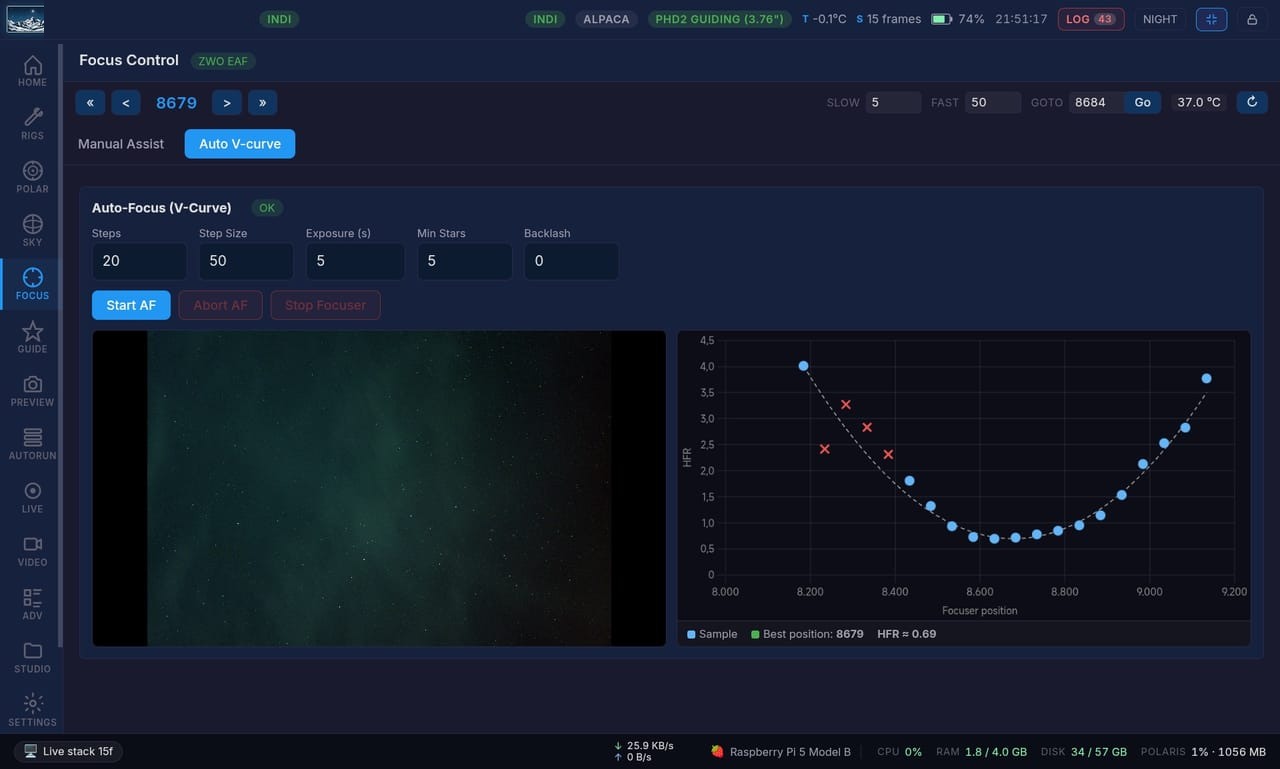
Auto focus
🔬

Auto focus

Automated focusing with V-curve and HFR fitting, kicked off by temperature change or HFR drift during a sequence, so stars stay tight all night.

STUDIO: stacking + AI post-processing
🎨

STUDIO: stacking + AI post-processing

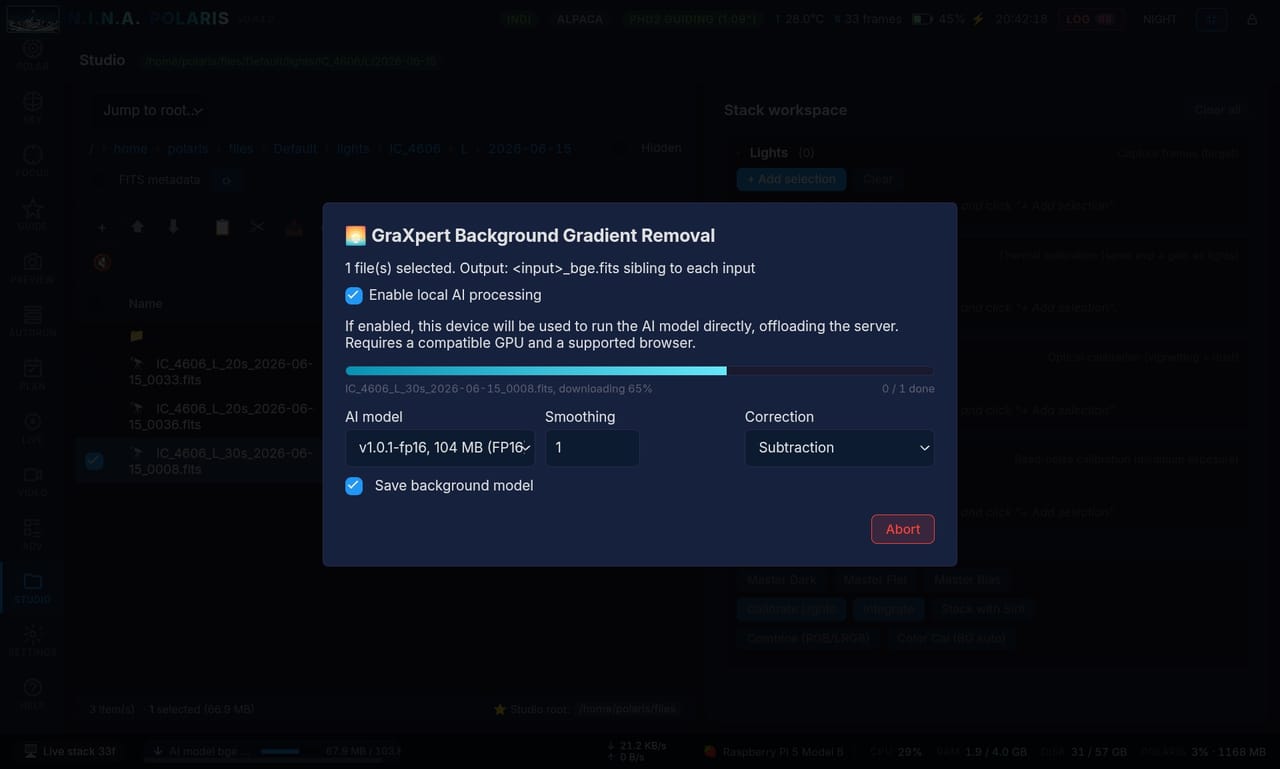
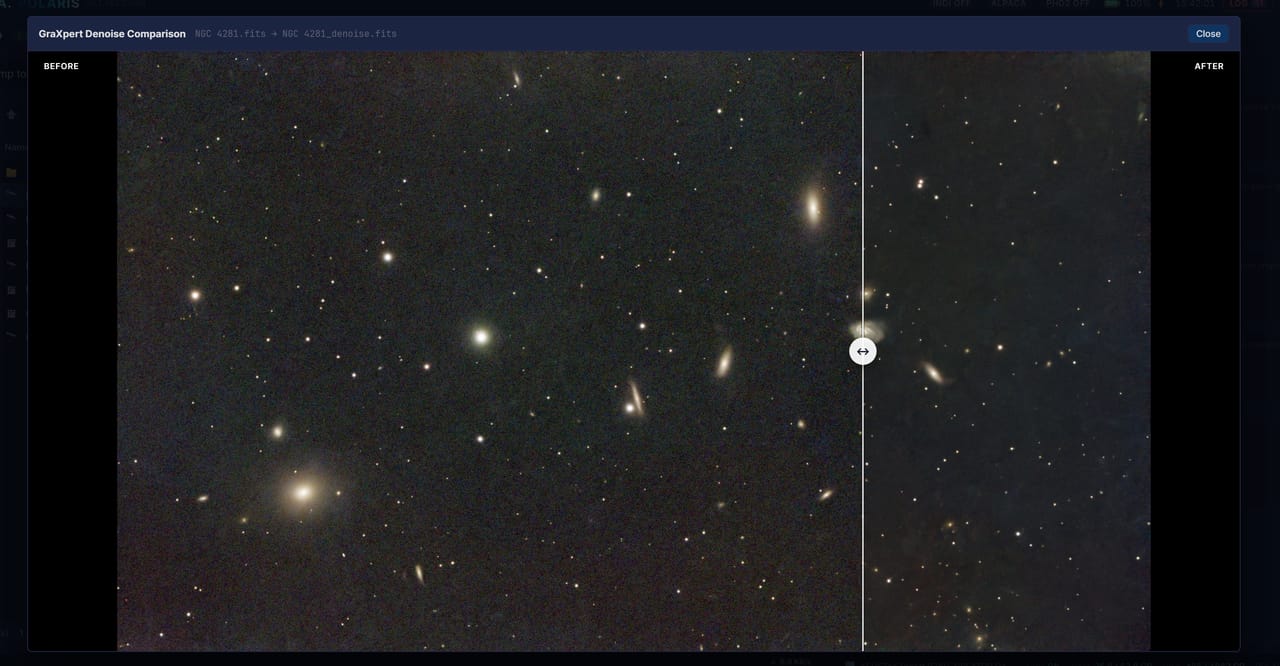
A full STUDIO for stacking and post-processing, AI background extraction, denoise and deconvolution included, running on your own computer's GPU through the browser or on the board's NPU.

Star removal and recompositing
🌠

Star removal and recompositing

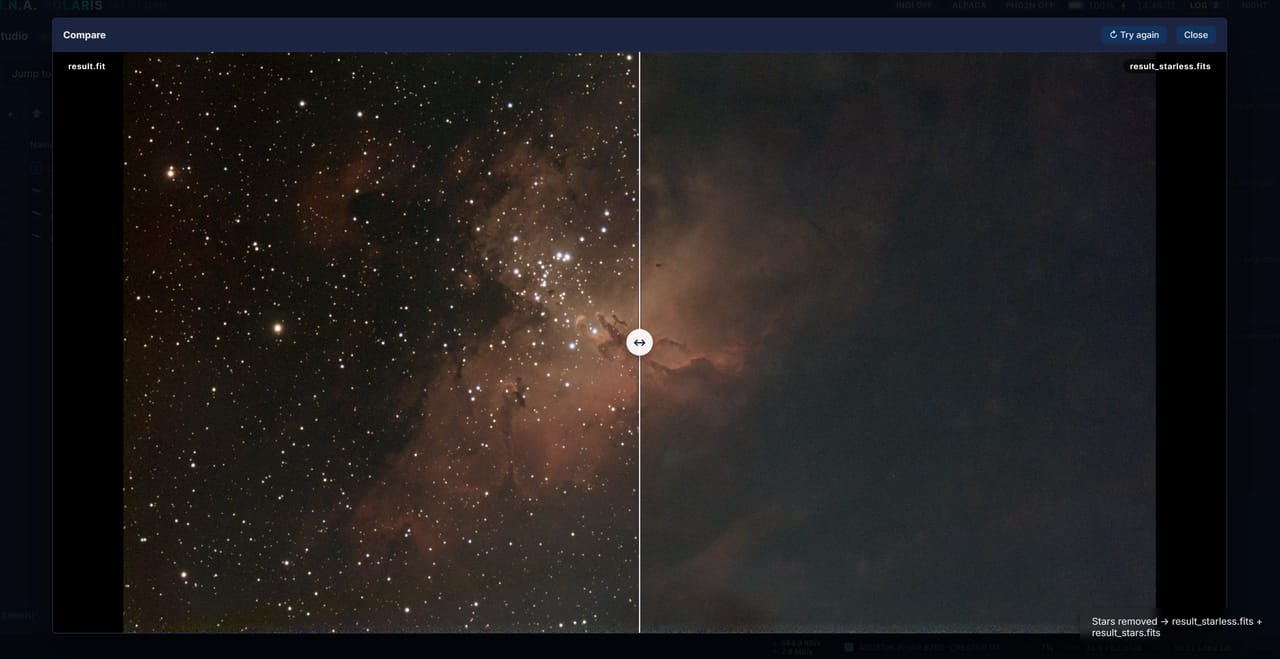
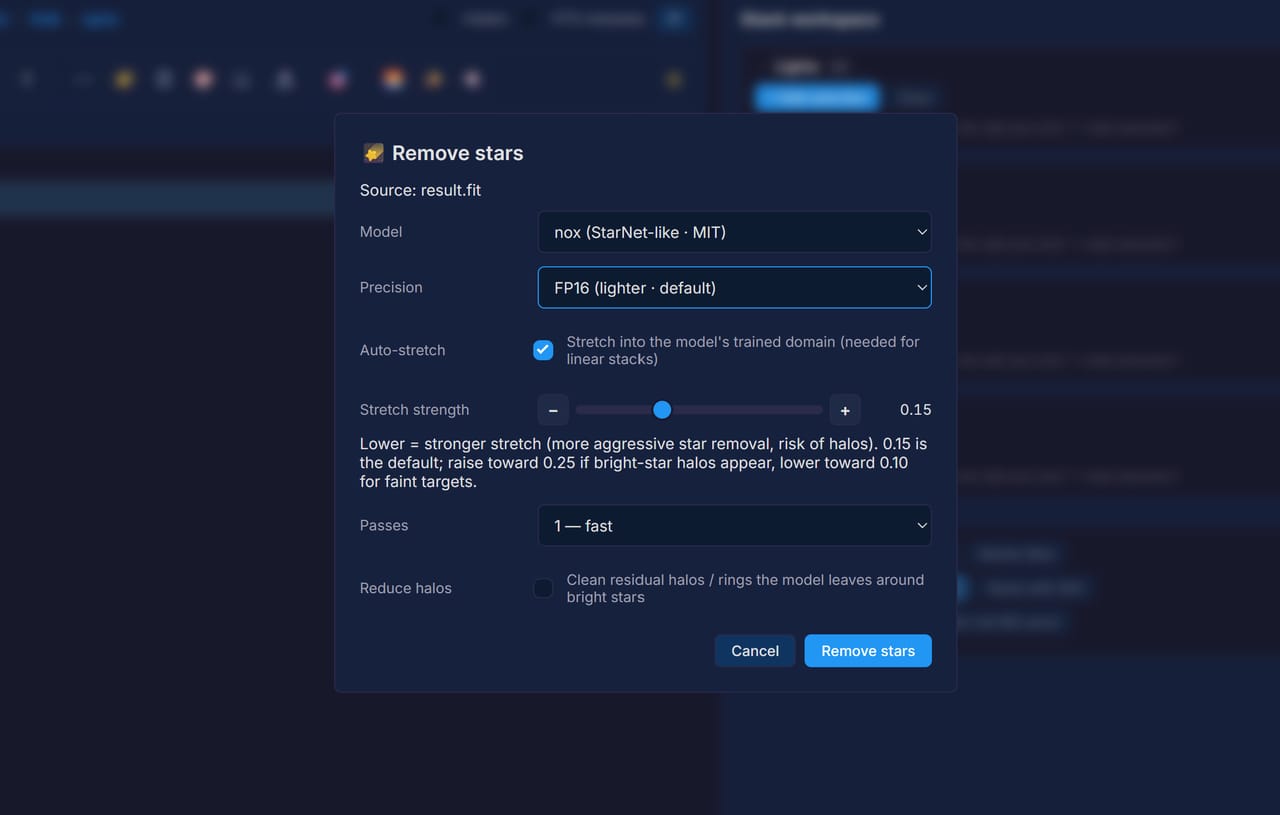
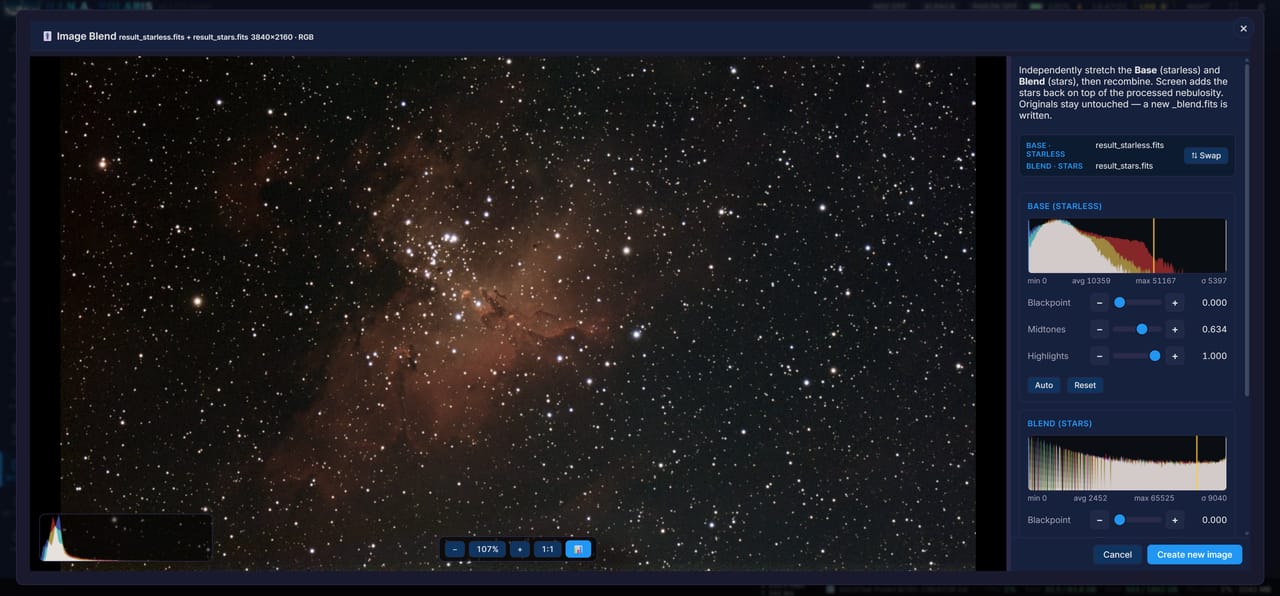
Split a master into starless and stars-only layers with an in-browser AI model (nox, starrem2k13, or StarNet++), stretch each one on its own, then recombine them with Image Blend (Screen, Add, or Lighten). The process-the-stars-separately workflow, no PixInsight needed.

Repair star colour
🌟

Repair star colour

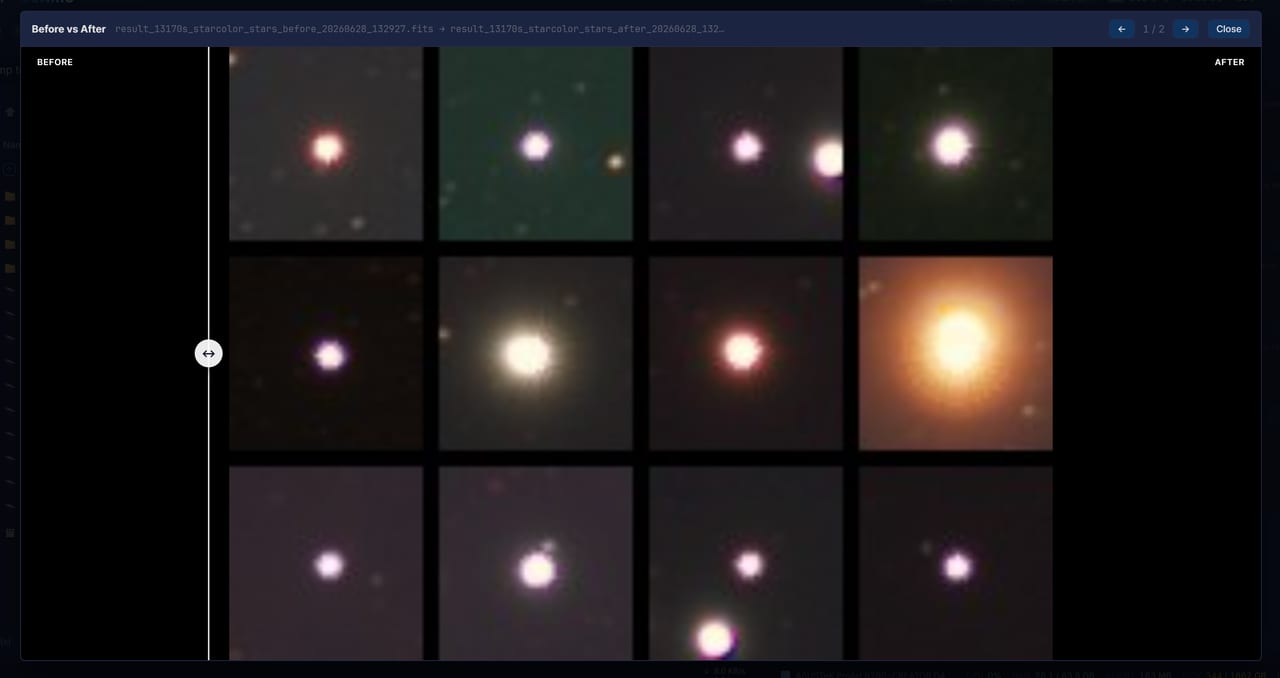
Some one-shot-colour cameras leave a one-sided blue or magenta fringe on bright stars, with a dark notch on the other side. Polaris lines the channels up to sub-pixel precision and rebuilds the colour and brightness symmetry around each star, carefully in crowded fields, and shows you a before and after of the brightest ones.

GPU & NPU acceleration

GPU & NPU acceleration

OpenCL-backed GPU acceleration for the heavy image-processing paths like debayer, stretch, and stacking, with a transparent CPU fallback when no GPU is present. On top of that, AI background extraction, deconvolution, and denoise run via GraXpert, using the client GPU in the browser or the server's NPU, with an Auto/NPU/GPU/CPU picker: Rockchip on the Orange Pi 5 Pro, Qualcomm Hexagon on the Radxa Q6A, or a Vulkan GPU lane.

See every feature, panel by panel →

Benchmarked on real hardware

Polaris has a benchmark built in: run it and you get a single number, so you can compare boards before you buy one. Higher is better. Everything below is a Release build.

Device Cores Polaris score Stacking Capture Memory BW Approx. USD
Orange Pi Zero 3 (Allwinner H618) 4 cores 45 6.9 Mpx/s 7.4 Mpx/s 10.4 GB/s $20-35
Raspberry Pi 4 Model B 4 cores 110 22.2 Mpx/s 11.5 Mpx/s 4.7 GB/s $55-75
Orange Pi 4 Pro (Allwinner A733) best value 8 cores 180 31 Mpx/s 30.9 Mpx/s 8.6 GB/s $50-70
Raspberry Pi 5 Model B 4 cores 245 42.1 Mpx/s 39.9 Mpx/s 8.2 GB/s $70-100
Orange Pi 5 Pro (RK3588S) 8 cores 274 44.6 Mpx/s 46.5 Mpx/s 48 GB/s $130-160
Radxa Dragon Q6A (QCS6490) 8 cores 317 55.8 Mpx/s n/a 18.8 GB/s $120-140
Core i9-13900KF + RTX 5070 32 threads 936 99.4 Mpx/s 89 Mpx/s 41 GB/s $1,500-2,200

Polaris score is the headline figure; Mpx/s columns are live-stack and capture throughput. The Orange Pi 5 Pro is shown with the OpenCL GPU backend on (274; 227 CPU only) and the Pi 5 at its best, actively cooled run. The Orange Pi 4 Pro is the best value here and the board Polaris recommends: eight cores and LPDDR5 for about the price of a Raspberry Pi 4. The Radxa Dragon Q6A is the fastest SBC here and runs CPU-only (its Adreno GPU is a net loss). The Q6A figures are its best run (317, after a better power supply and a fan went on the board); its capture throughput was not re-measured on that run. Prices are rough street estimates for the board alone (no SD card, power, or case); the Core i9 row is a full desktop build for reference, not an SBC. The Orange Pi Zero 3 is the entry point: it shows Polaris runs on a 1.5 GB board (its Mali-G31 GPU is a net loss too, so it runs CPU-only). Full per-device tables and methodology in the benchmark docs.

How Polaris compares

Side by side with the popular boxes and desktop suites. A star marks something nothing else on this list does. The cells follow what each product advertises, and we are happy to be corrected.

Feature PolarisASIAIRStellaVita 2.0StellarMateKStars/EkosN.I.N.A.PINS
Hardware options RPi · Orange Pi · x86 · Windows own box own box RPi (OS or box) Linux · Win · Mac · RPi Windows Raspberry Pi
Full web UI (any browser / device) app app EkosLive / VNC EkosLive desktop VNC
Control multiple hosts from one client
Open source AGPL core only GPL MPL
Free (no paid app, OS, or box) box box paid OS / box
Multi-brand cameras ZWO
INDI + ASCOM + Alpaca INDI INDI INDI ASCOM / Alpaca INDI
Auxiliary (2nd) camera
Focuser for aux & guide camera
Live stacking (EAA) plugin
Advanced sequencer + multi-target planner scheduler scheduler
Built-in image editor / post-processing
AI tools (BG extract, denoise, deconv, star removal)
Processing + AI run on the client / browser
GPU / NPU acceleration (OpenCL · RKNN · QNN)
Auto post-processing workflow
AI assistant (chat)
Photometric colour calibration (SPCC / PCC) plugin plugin
Built-in remote internet access EkosLive

✓ yes · ~ partial or limited · ✗ no

Polaris is free and open source. The only money you spend is on an inexpensive single-board computer (4 GB is comfortable, and it runs on as little as 1.5 GB), plus a power box like the SVBony SV241 or the Gemini Power Box if you want one, both often on sale. No proprietary controller to buy, no paid app, no OS licence, no subscription.

More screenshots

A few more corners of the interface, all of it running in a browser. Click any shot to see it bigger.

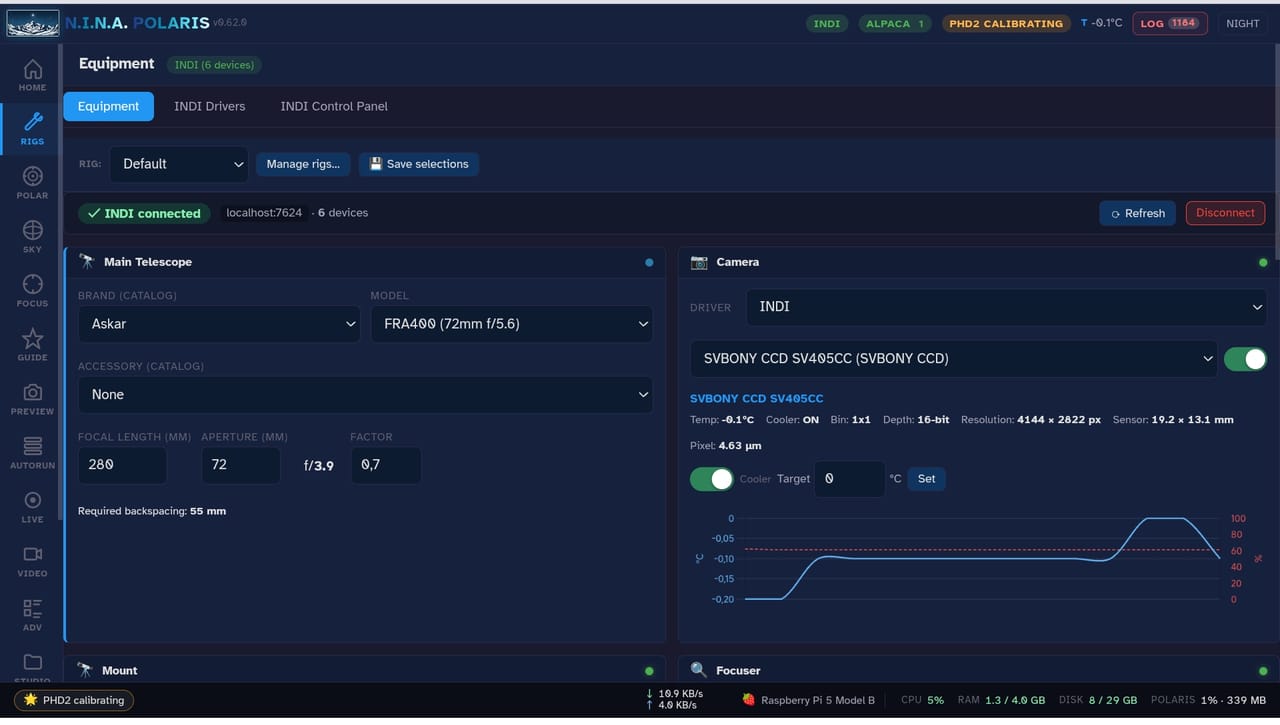
Rig manager: telescope, camera, mount, focuser, and filter wheel in one place
Equipment hub with INDI, ASCOM/Alpaca, and native driver selection
Per-target scheduling with a draggable elevation window
Live guiding graph with RA and Dec error tracking
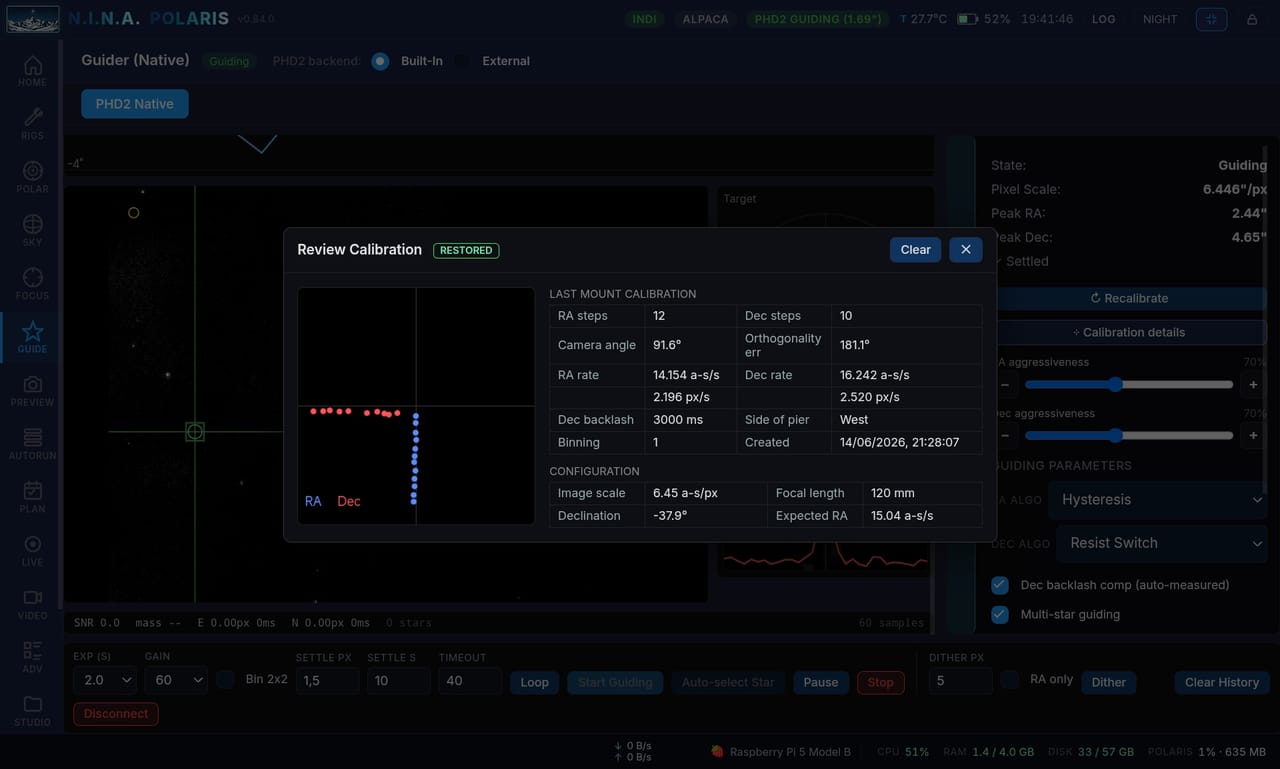
Guiding calibration review with the full mount calibration report
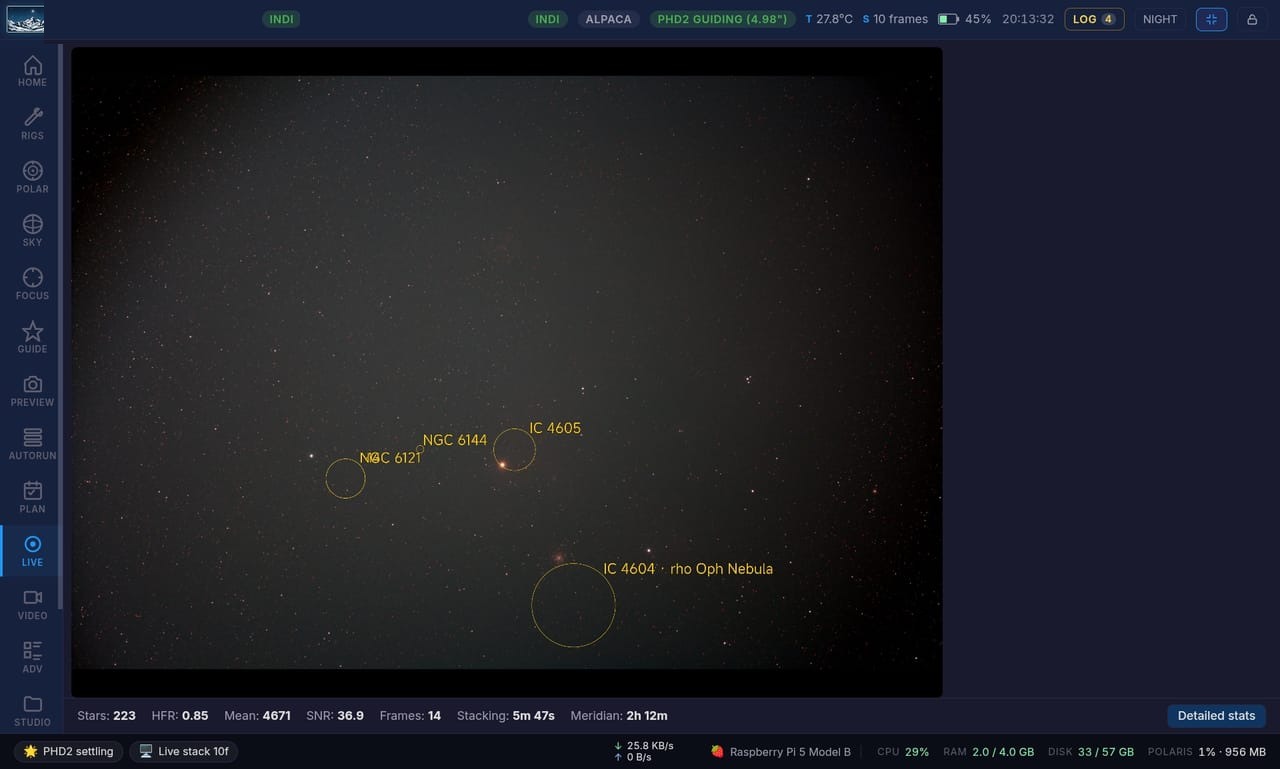
Annotated live view: deep-sky objects labelled over the integrated stack
Star removal: before and after, with the stars stripped into a separate layer
Remove stars: pick a model, set precision, and tune halo cleanup
Image Blend: recombine starless and stars with an independent stretch per layer
Slew & Center: plate-solving and centering on the target from the sky map
Native guiding: the RA/Dec error graph, guide-star field, and calibration panel
Live stacking IC 4605 with the live histogram and stretch handles
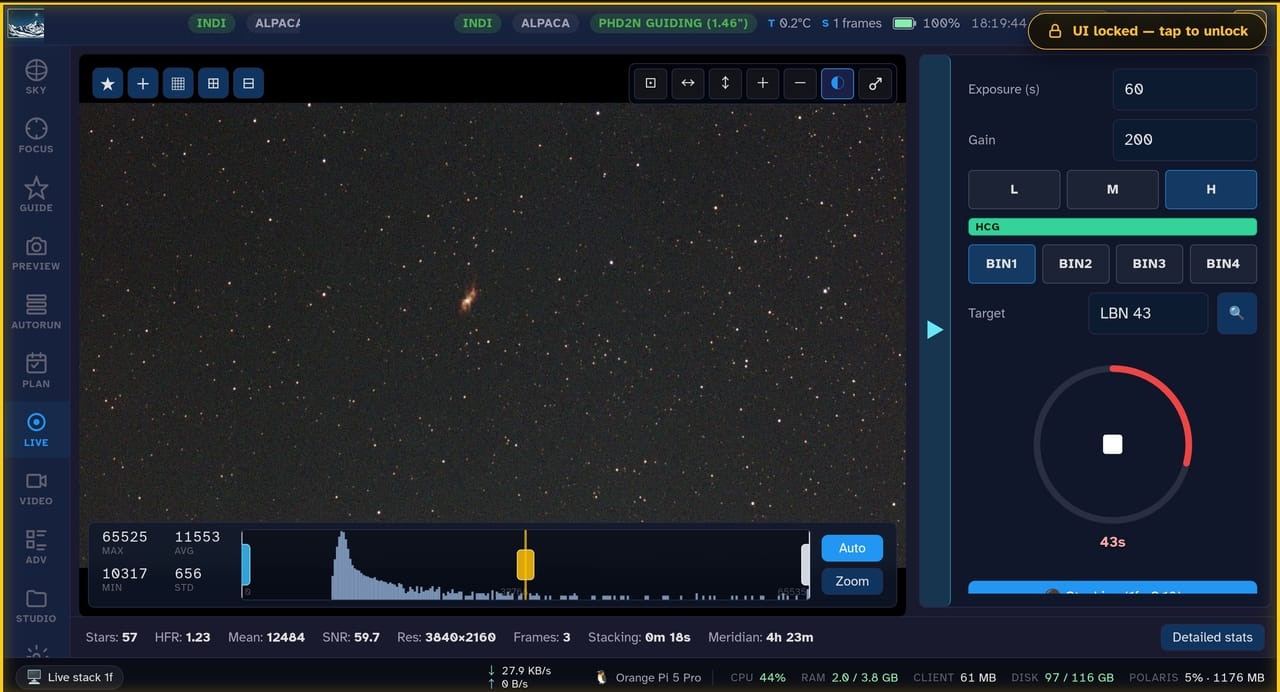
Live stacking LBN 43 from a browser over the local network
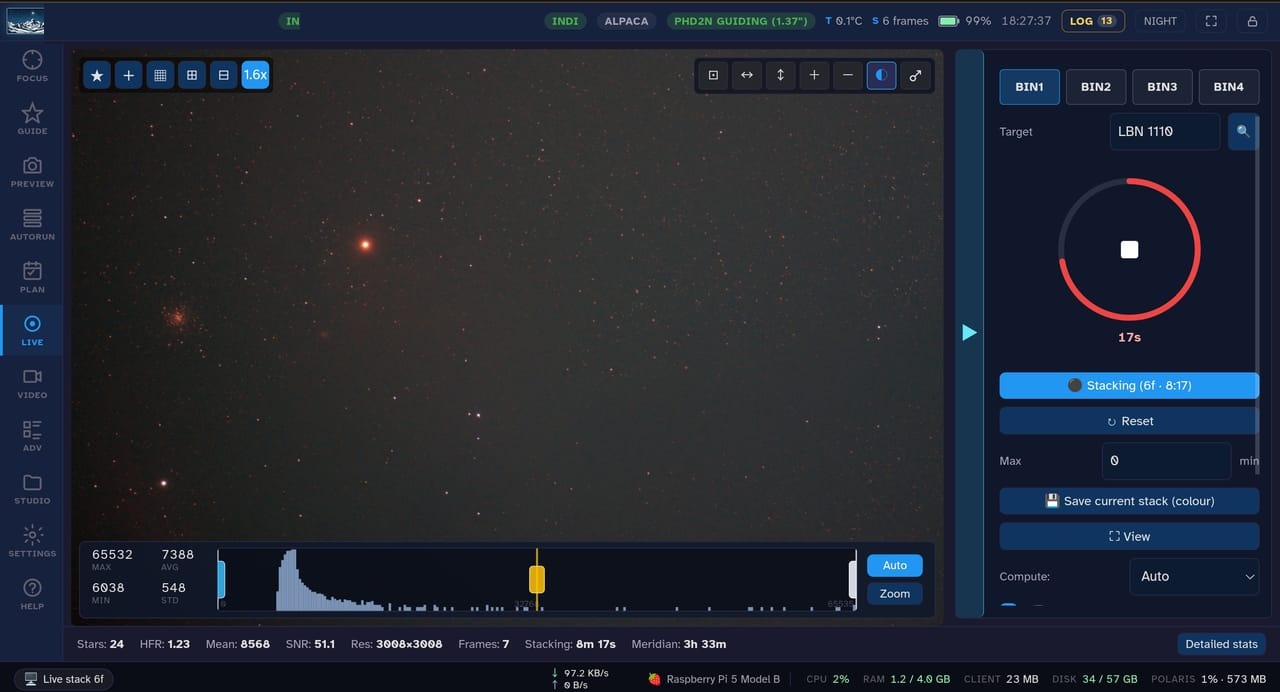
Live stacking LBN 1110, building up frame by frame
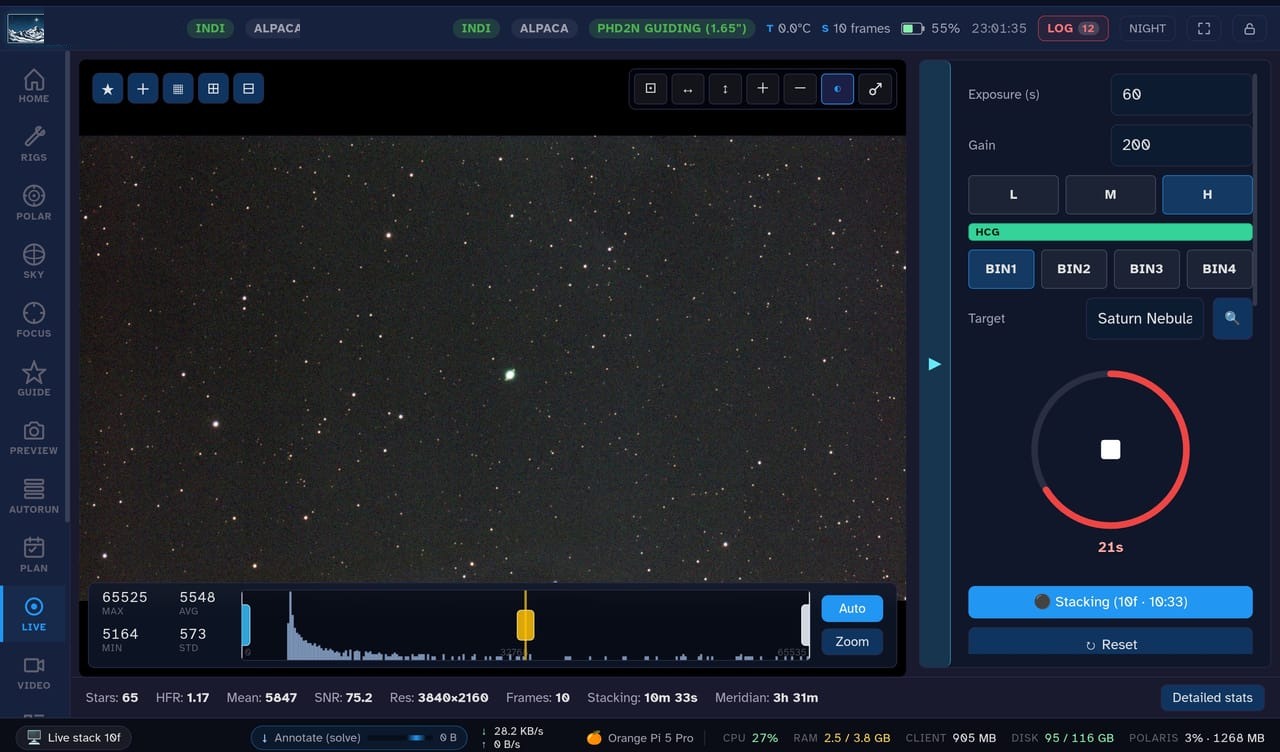
Live stacking the Saturn Nebula (NGC 7009)
Star colour repair: before/after montage of the brightest stars
VIDEO: high-frame-rate lunar capture with live stream stats and mount jog

Free, open-source, and ready to image.

GNU AGPL v3, built on the N.I.N.A. project. Bring your own scope.

Free & open-source · GNU AGPL v3 · built on the N.I.N.A. project.